
Households
Advisers rarely review one person on their own. A household brings together the clients you review as a family: a couple, their children or parents. It also shows the accounts they hold through a trust, an SMSF or a company. Each member stays a client with their own accounts, tax profile and reports. The household adds a combined view on top.
Create a household
On Clients, switch to Households and choose New household. Name it, pick the reporting currency, and tick the members with their role: primary, partner, child, parent or other. From a client's page you can also choose Add to household under their name, to join an existing household or start a new one with that client as its first member.
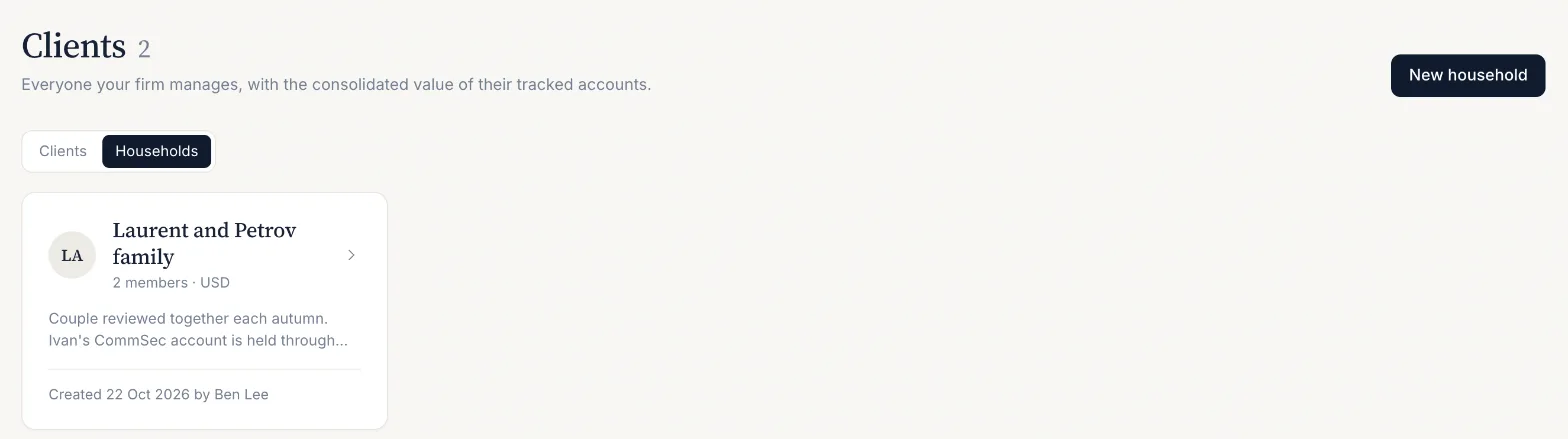

A client can belong to one household at a time. Adding them to another moves them, and removing a member or deleting a household never deletes a client or their data.
Joint, trust, SMSF and company accounts
An entity is not a separate client. A joint account, a family trust, an SMSF or a company account is an account of one member, labelled with how it is held. On the client's Portfolios tab, choose Ownership on the account and pick individual, joint, trust, SMSF or company, with an optional note such as the trust's name or the joint holder. Because the account belongs to one member, the household view counts it once.
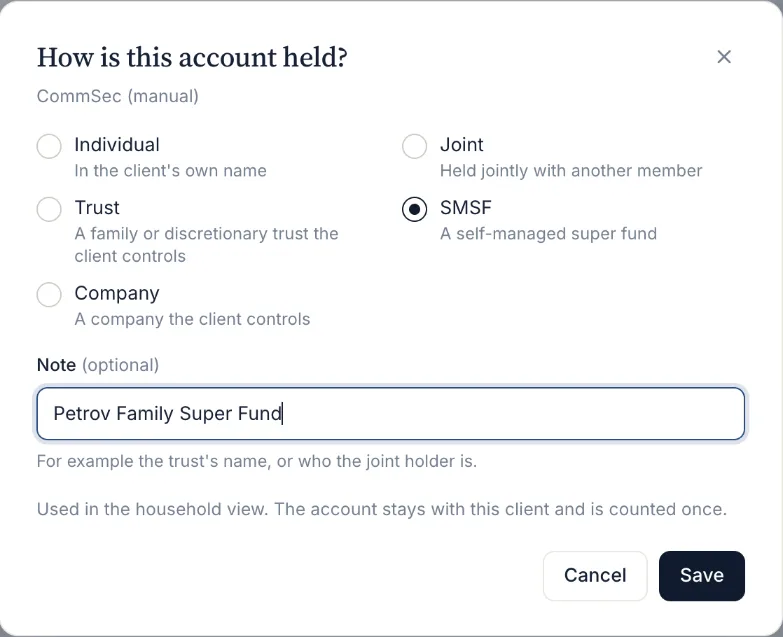
Ownership is a label for the household view. It does not change tax. For an SMSF or a pension account, also set the account's tax wrapper so its income is calculated at the fund's rates.
What the household view shows
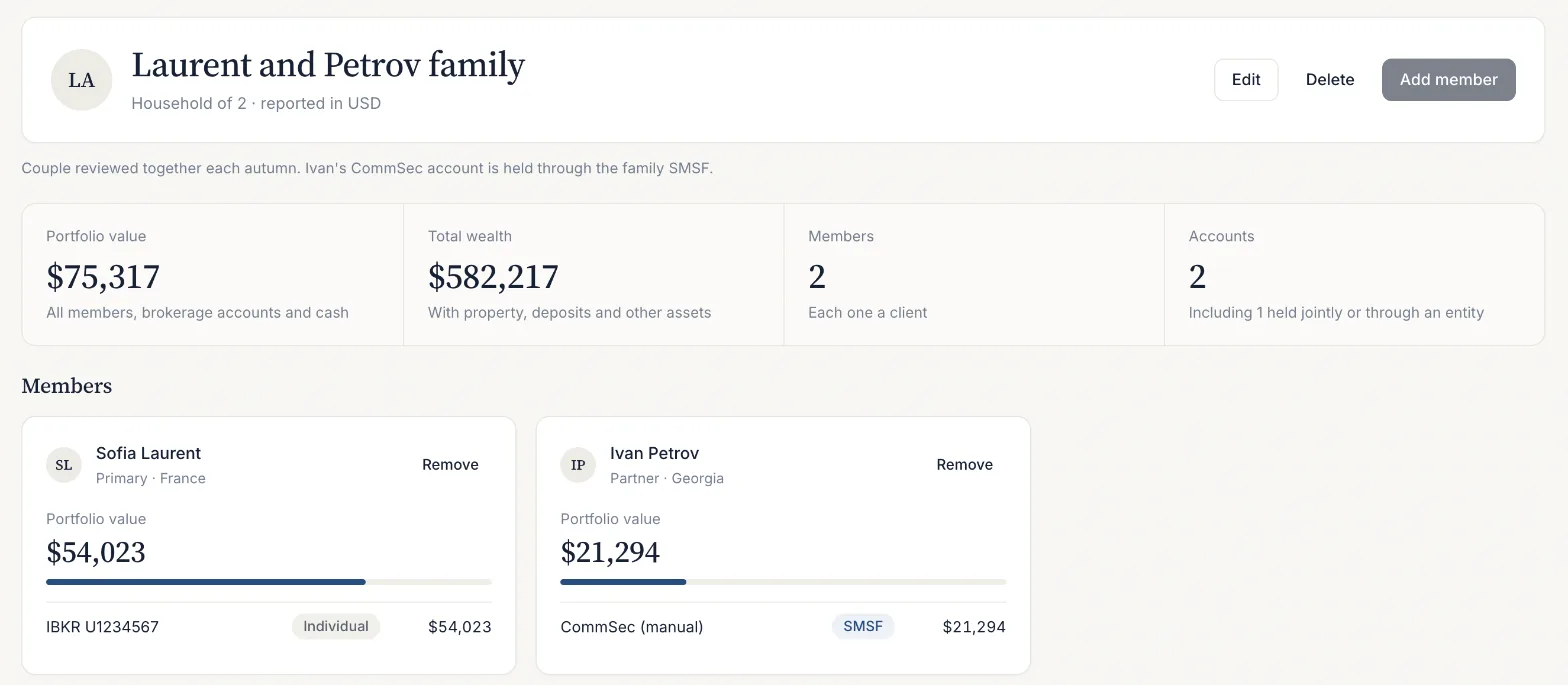
- Portfolio value and total wealth across all members, converted to the household's currency at today's rate. A total is shown only when every member's figure is known. If one is missing, the total is withheld and that member says why.
- Each member: their value, their share of the household, and their accounts with how each is held.
- How it is held: the household's accounts by ownership, for example how much sits in the SMSF compared with personal names.
- Largest holdings across every member, merged by ticker, with the members who hold each one.
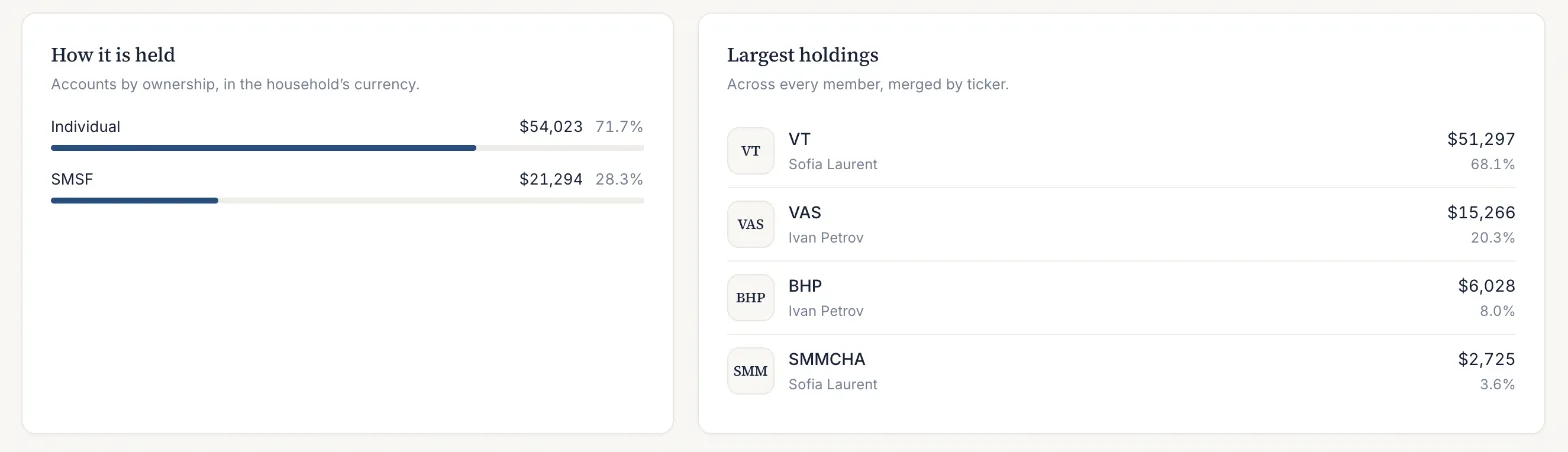
Every figure comes from the members' own analysis, the same numbers their client pages show. Performance, tax and cross-border findings stay per client, because each member has their own residence, wrappers and tax position.
Plans and client limits
Households are available on every plan. The plan's client limit counts people: each member of a household is one client. Trusts, SMSFs, companies and joint accounts are accounts of a member and do not use a client place.
Last updated . Describes the product as built; figures are screening estimates, not tax, legal or investment advice.